GetCited.me answers one question that traditional analytics cannot: when people ask an AI assistant about what you sell, does it mention you?
This guide walks the whole product in the order you will actually use it. Ten minutes here will save you a lot of clicking.
Before you start
You need one thing: a website. During sign-up we read it, work out what you sell and who you sell it to, generate a set of realistic customer questions, and send those questions to the AI engines. By the time you first open the app, real answers are already coming back.
If you signed up and the numbers are still empty, that is normal — the first run takes a few minutes. Overview tells you how many questions have been analysed so far.
The shape of the product
Everything lives behind one sidebar. There are only six places to go, and they follow the order of the work:
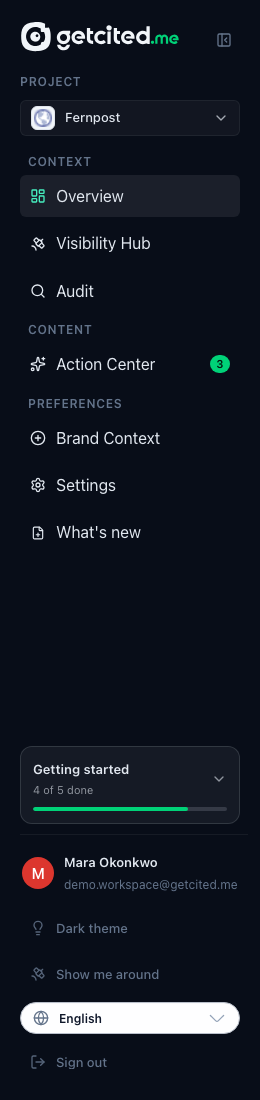
- Overview — how am I doing?
- Visibility Hub — show me the evidence.
- GEO Audit — is my site technically readable by AI crawlers?
- Action Center — what should I do about it?
- Brand Context — what do the models think I am?
- Settings — four tabs: your account and team, your plan and usage, the integrations that feed this workspace (Google Search Console), and the MCP server that lets a coding agent read it.
The rest of this guide walks them in that order.
1. Overview — how am I doing?
Overview is the answer page. It opens with a funnel called How far you get in an AI answer.
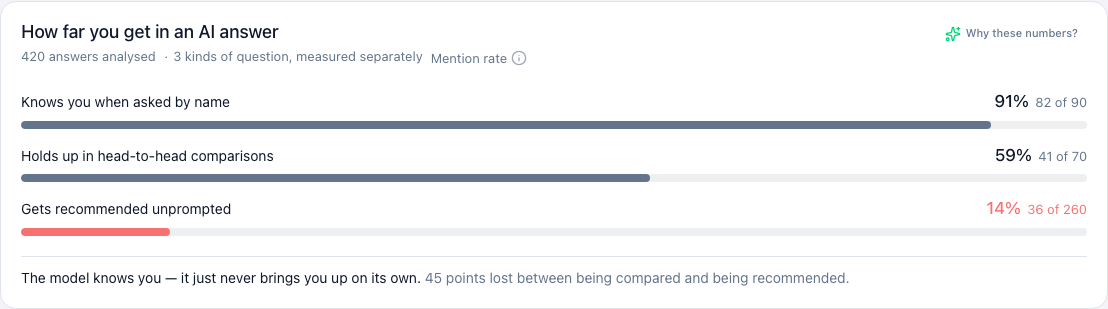
The three bars are three different questions about your brand, and they are deliberately never averaged together:
- Knows you when asked by name. Someone asks about you directly. A high bar here means the model has heard of you. This is table stakes.
- Holds up in head-to-head comparisons. You against a named rival.
- Gets recommended unprompted. Someone describes a problem, names nobody, and the model suggests brands. This is the bar that matters.
The classic pattern is a tall first bar and a near-empty third one. It means the model can describe you perfectly when it is looking straight at you, and never thinks of you on its own. Closing that gap is the entire job of the product.
Below the funnel sits the leaderboard: which brands actually get named in your space, and how often.
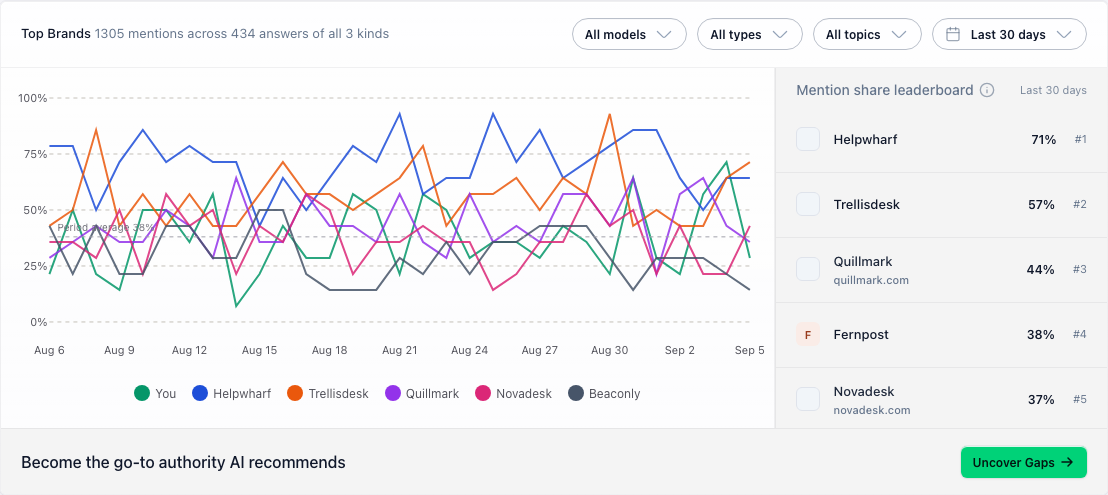
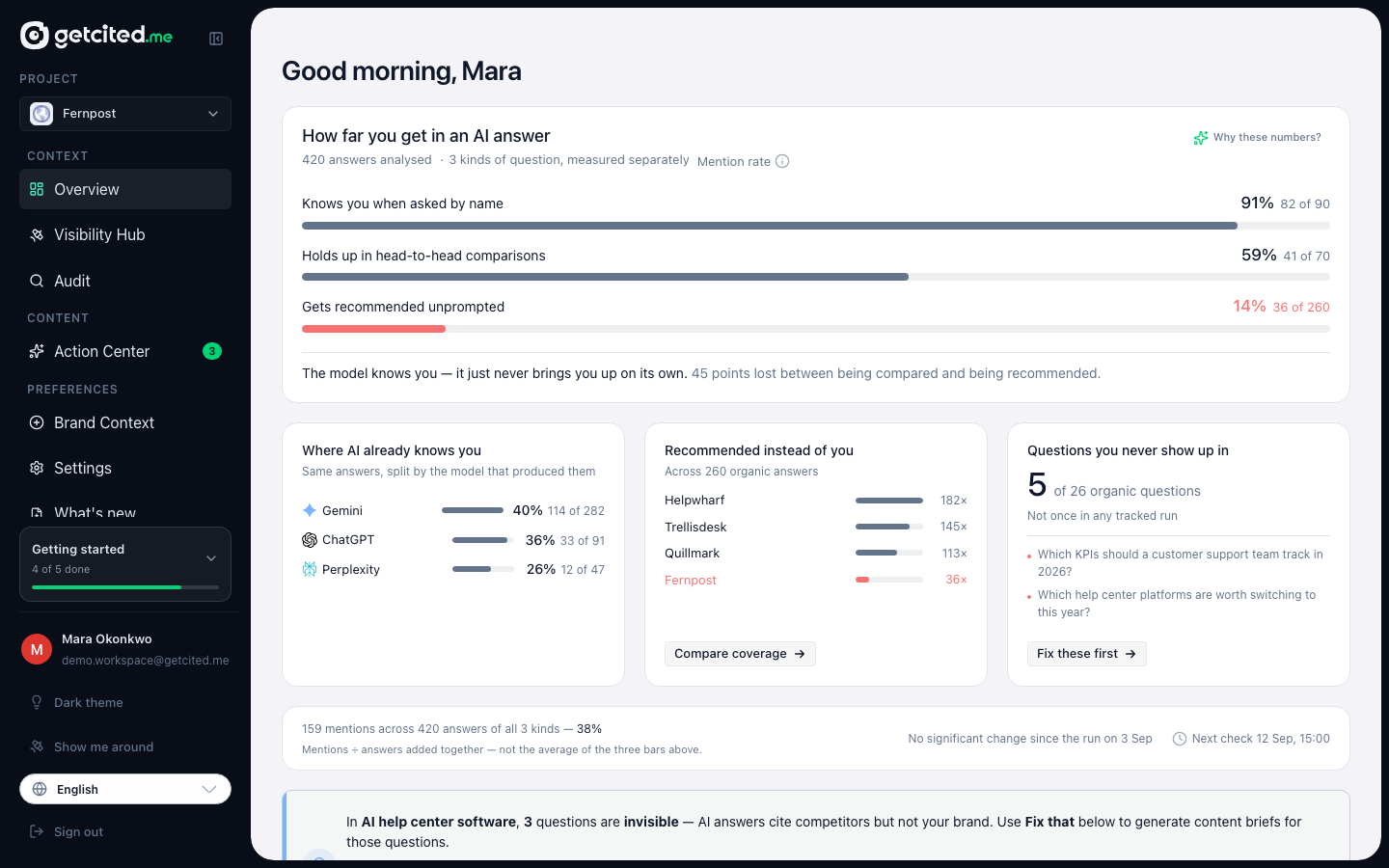
Read it as a market map rather than a scoreboard. The names above you are the answers your customers are being given today.
2. Visibility Hub — show me the evidence
Overview is the summary; the Hub is the raw material. It has four tabs.
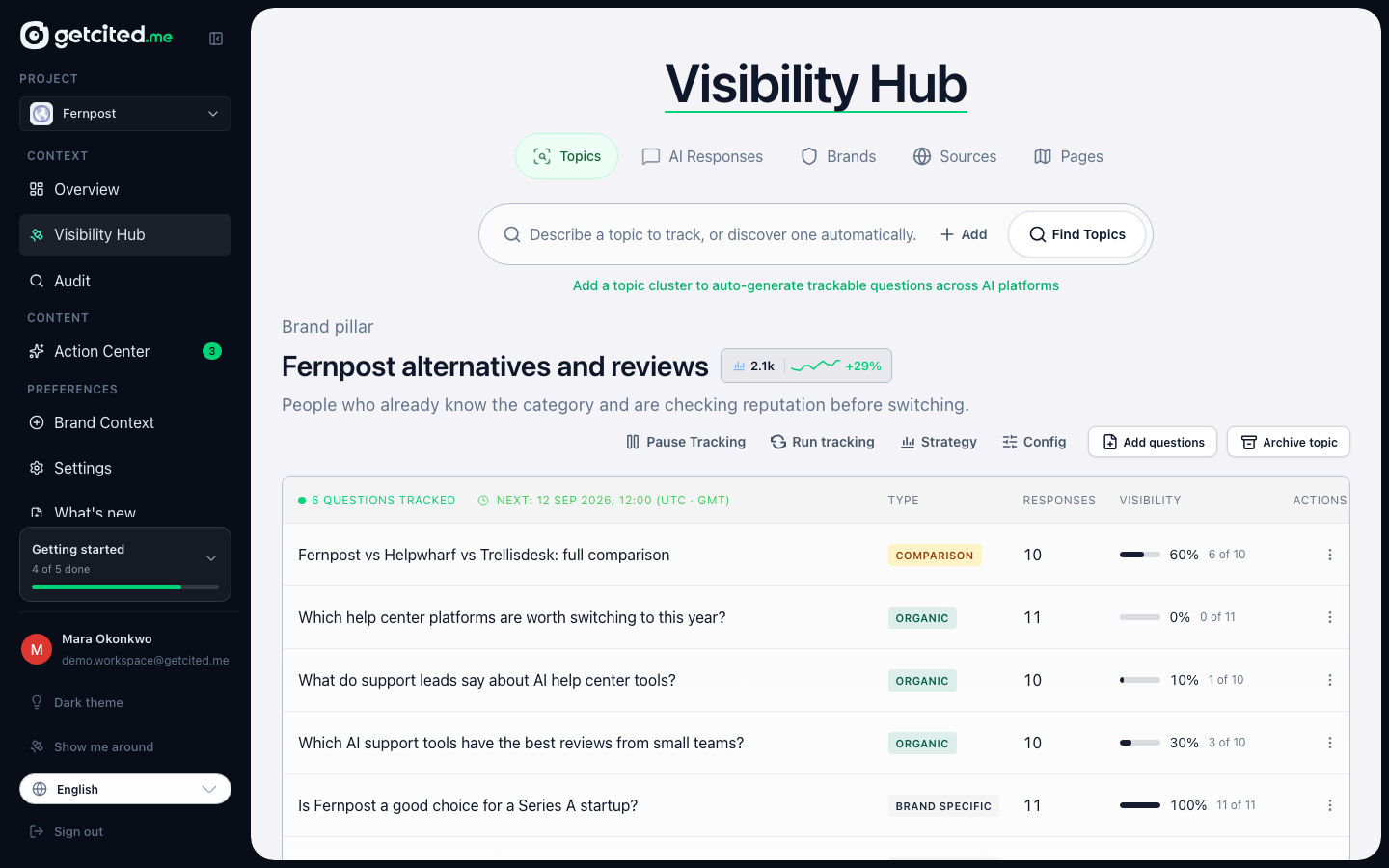
Topics holds the questions we track, grouped into clusters by buying intent.
AI Responses is the single most useful screen in the product: every answer an engine gave, in full.
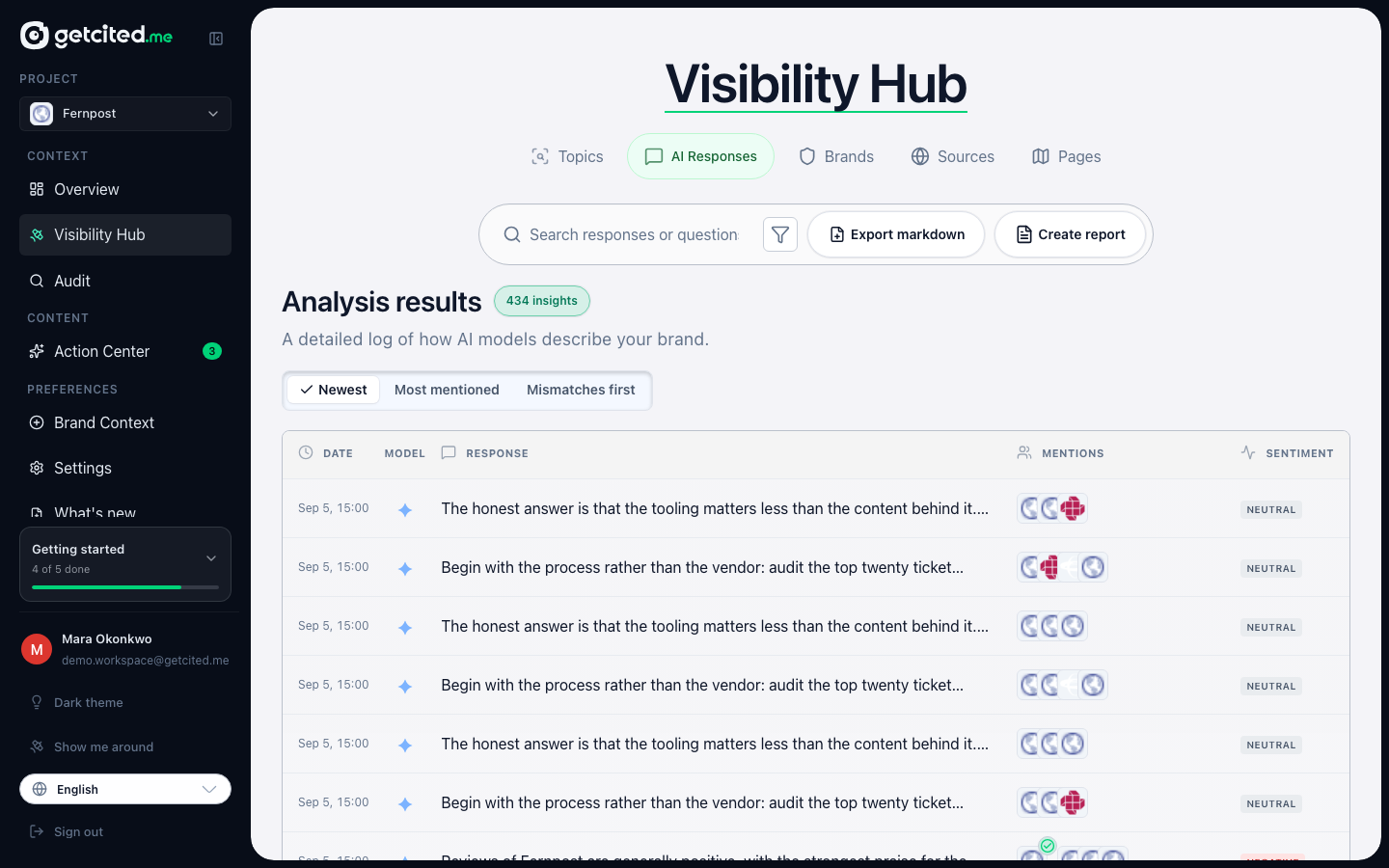
Open any row and you see exactly what the model said, whether it named you, in what position, and which sources it leaned on. When a number on Overview surprises you, this is where you find out why.
Brands is the competitive picture, and Sources is where citations come from — which sites the models keep quoting when they answer your questions.
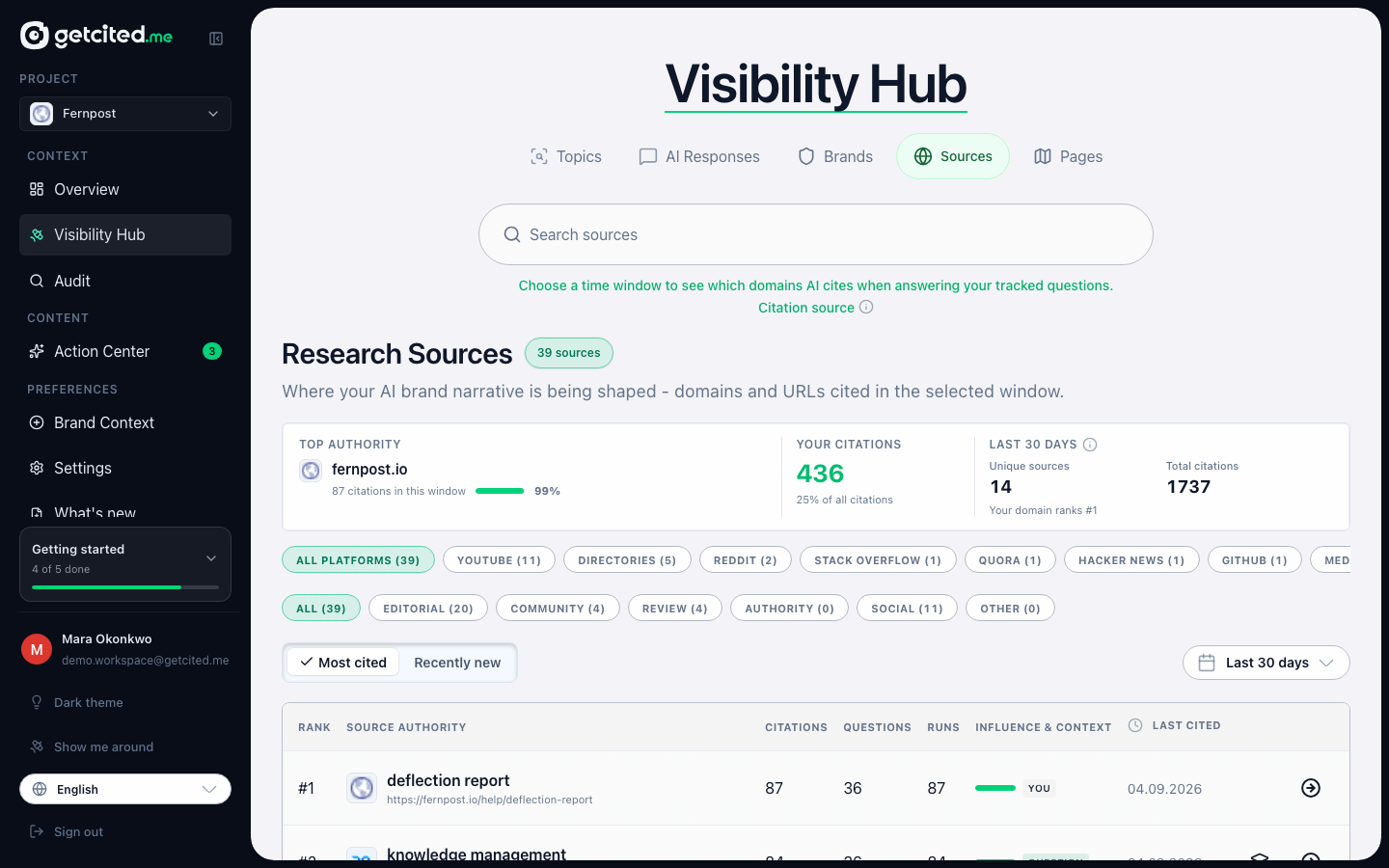
Sources is quietly the most actionable tab. If the same three review sites are cited in every answer in your category, being absent from them explains a lot.
3. Brand Context — what do the models think I am?
We extracted a brand profile from your site during sign-up: what you do, who for, what makes you different.
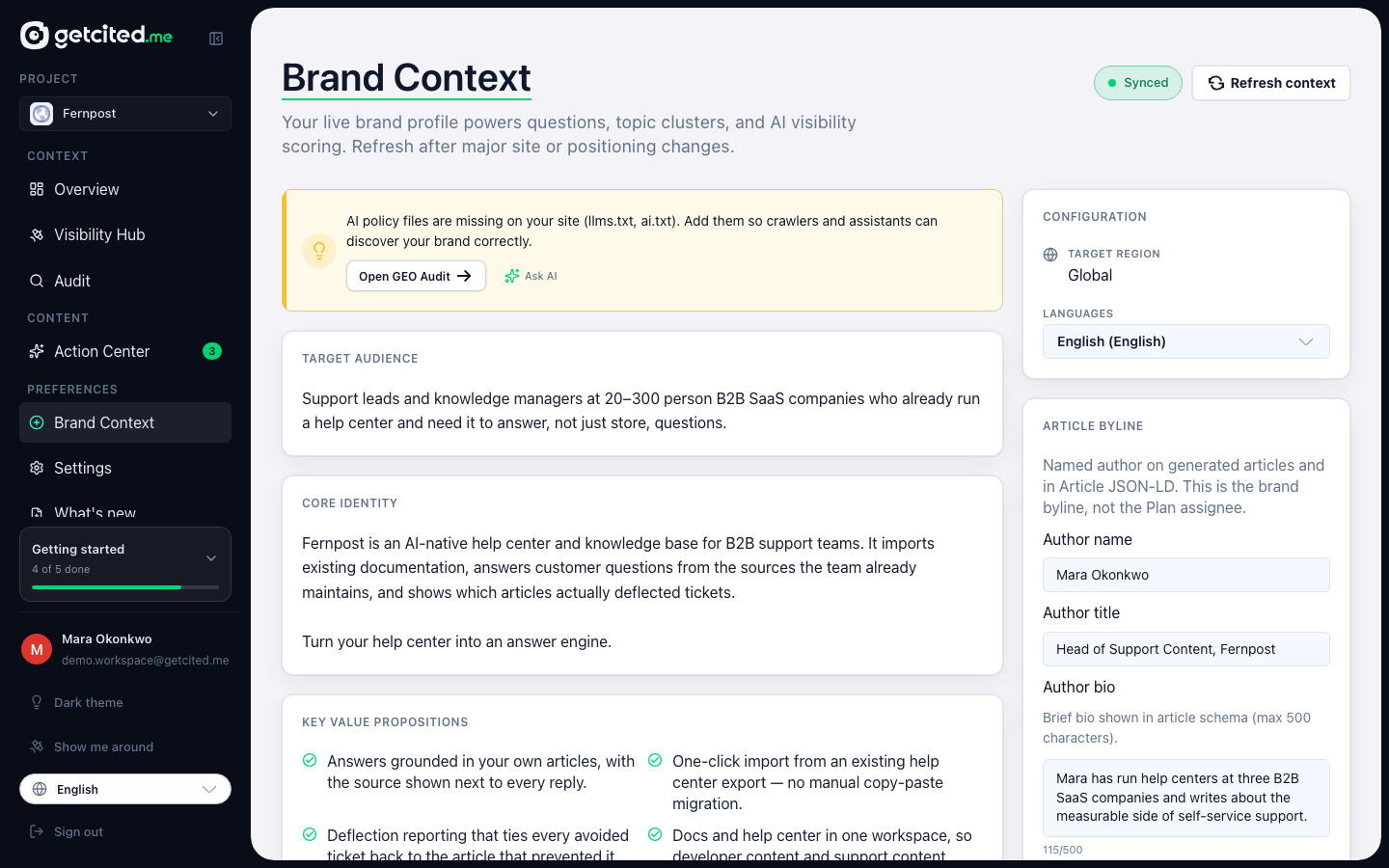
It is worth five minutes of your time, because everything downstream depends on it: the questions we generate, whether a mention is judged to be you rather than a similarly named company, and the tone of any content we draft.
4. Action Center — what should I do about it?
Findings without actions are trivia. Action Center turns gaps into work.
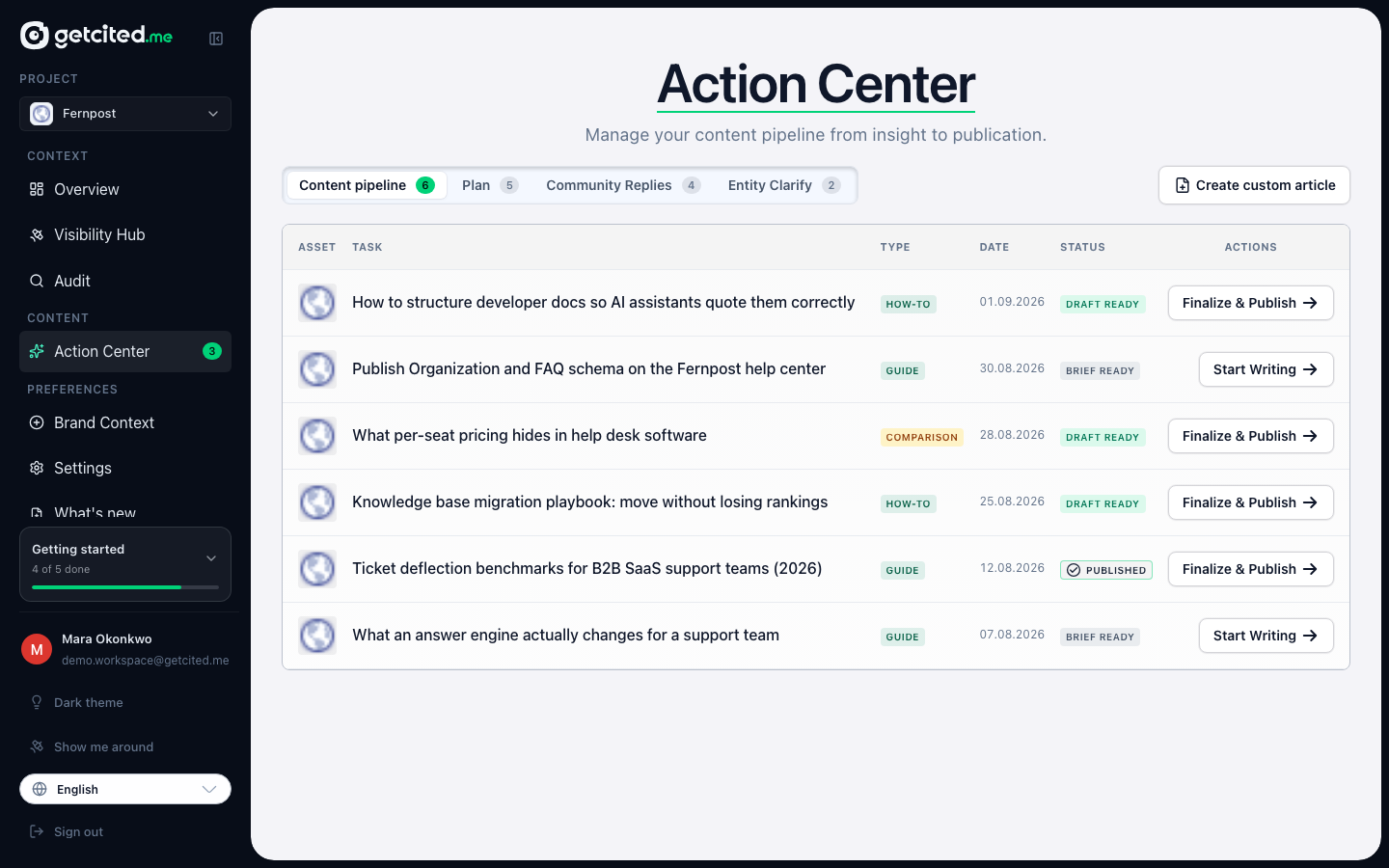
It has tabs for content drafts, a publishing plan, community replies, and entity clarifications — the cases where a model has confused you with someone else. Each item explains which gap it addresses, so you can judge whether it is worth doing before you spend time on it.
A sensible first week
- Day one: read the funnel. Note the gap between the "by name" bar and the "unprompted" bar.
- Day one: open five answers in AI Responses — three where you were mentioned, two where you were not. Nothing else builds intuition as fast.
- Day two: check Brand Context and correct anything wrong.
- Day two: look at Sources. Ask yourself which of those domains you could plausibly appear on.
- Later that week: pick one recommendation in Action Center and actually ship it.
- The week after: come back to the funnel. Visibility moves in weeks, not hours — models re-crawl and re-answer on their own schedule.
What to read next
- What your visibility number means — the metric, in detail.
- Questions, topics and answer credits — how tracking is priced and how to add more questions.
- Reading your AI answers — statuses, mismatches, and what to trust.