Settings has four tabs: Account, Subscription, Integrations and MCP server. It used to have seven.
The useful question on this screen is not where a switch lives. It is what the switch changes: your whole account, or the single project selected in the sidebar. The mistakes that cost you here are scope mistakes: a teammate who can see more than you expected, an alert that turns out to have been configured for a different site. Each tab below is described in those terms.
Account
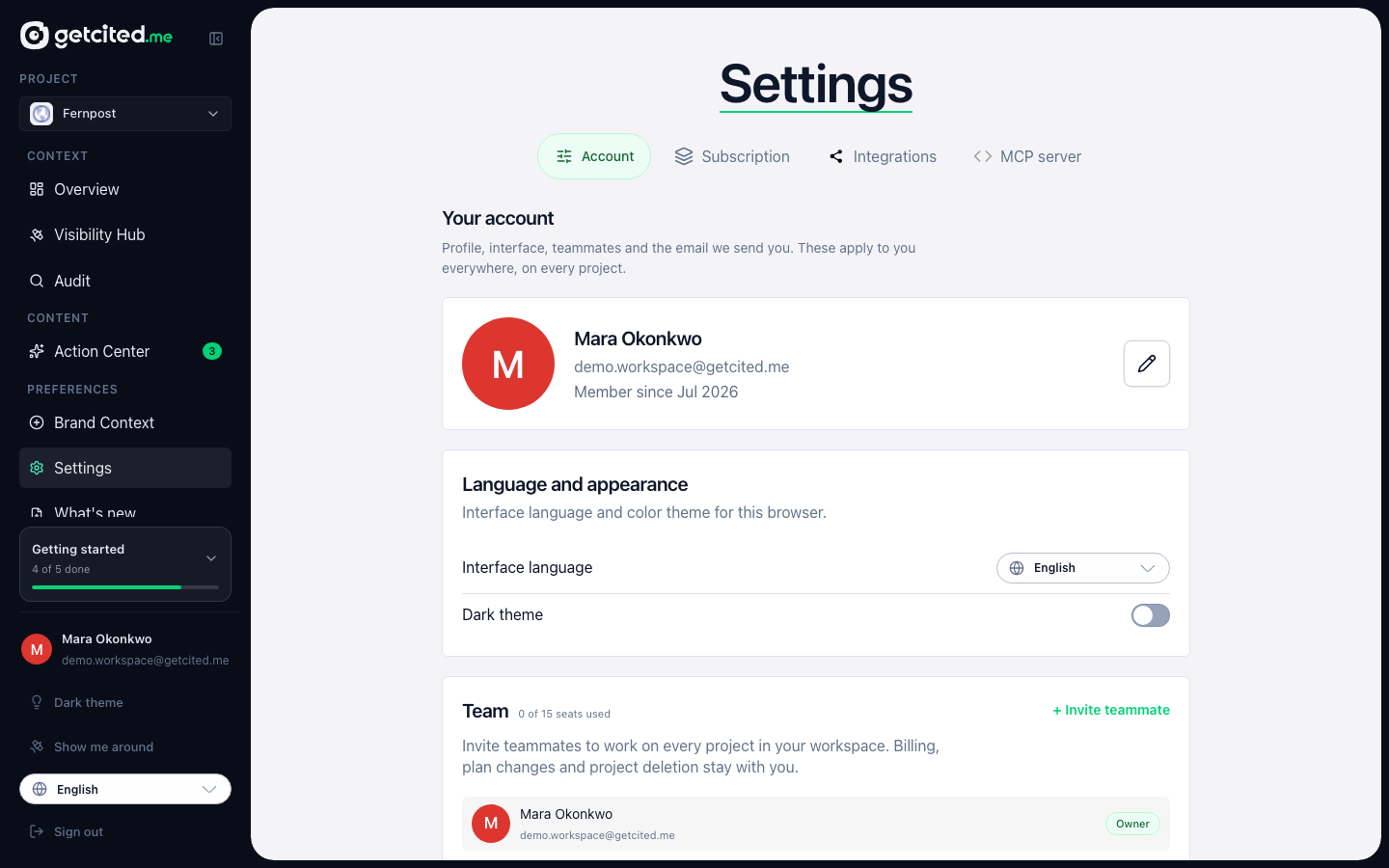
This is the one tab that mixes scopes, and it says so out loud: the cards are split into two labelled groups, and each group's supporting line states what it governs.
Your account
Profile, interface, teammates and the email we send you. These apply to you everywhere, on every project.
Profile — your name, avatar and the address the product writes to.
Language and appearance — the interface language and the dark theme, for this browser. The theme is remembered in a cookie, so it only survives your next visit if you have accepted functional cookies; the card tells you when it cannot save it.
Teammates — invite people into your workspace. Read the scope before you send the first one: a teammate gets access to every project in your workspace, and billing, plan changes and project deletion stay with you. The team role you pick on the invite — Marketing, Content, SEO, Developer — is a label for your own reference; everyone on the team has the same access. Seats are counted against your plan and inviting is a paid-plan feature. Removing a teammate revokes their access immediately and leaves their own account intact.
If someone has invited you into their workspace, that appears here too, with the option to leave it. Leaving loses you access to their projects; nothing you produced there is deleted, and you can only return if they invite you again.
Email notifications — which messages we send to your account email. This is an account-wide master switch, and it sits above everything else that sends mail: turn email off here and the per-project visibility alerts below will not be delivered either, even where they are switched on. The alerts card repeats that warning rather than letting you find out by silence.
Project settings
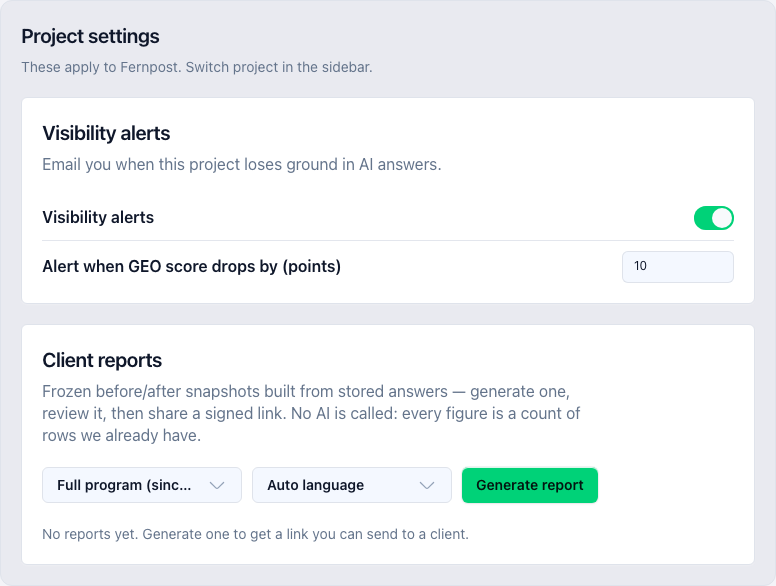
The second group is scoped to one site, and its lead names it: These apply to {project}. Switch project in the sidebar. There is deliberately no second project switcher on this tab — the sidebar is the only place the active project changes, and a duplicate control here would move the whole account without looking like it.
Visibility alerts — email you when this project loses ground in AI answers, with the drop threshold in points. This is per project, and it is on by default for a project that has never opened the card. That default is safe because the mail is gated three more times downstream: by the account-wide email switch above, by a cooldown between messages, and by the drop threshold itself. An explicit off from you always wins.
Client reports — frozen before-and-after snapshots for one project, built from answers already stored. No AI is called when a report is generated: every figure is a count of rows we already have, which is what makes the report reproducible and cheap. Generate one, review it, then share a signed link; you can revoke that link later, after which anyone holding it sees an expired page.
Danger zone
Delete account permanently removes your account, all websites, tracking data, content drafts and billing information, and signs you out immediately. It cannot be undone. It is the account, not a project — there is nothing on this button that removes a single site.
Subscription
Everything about what you are paying for and what you have used.
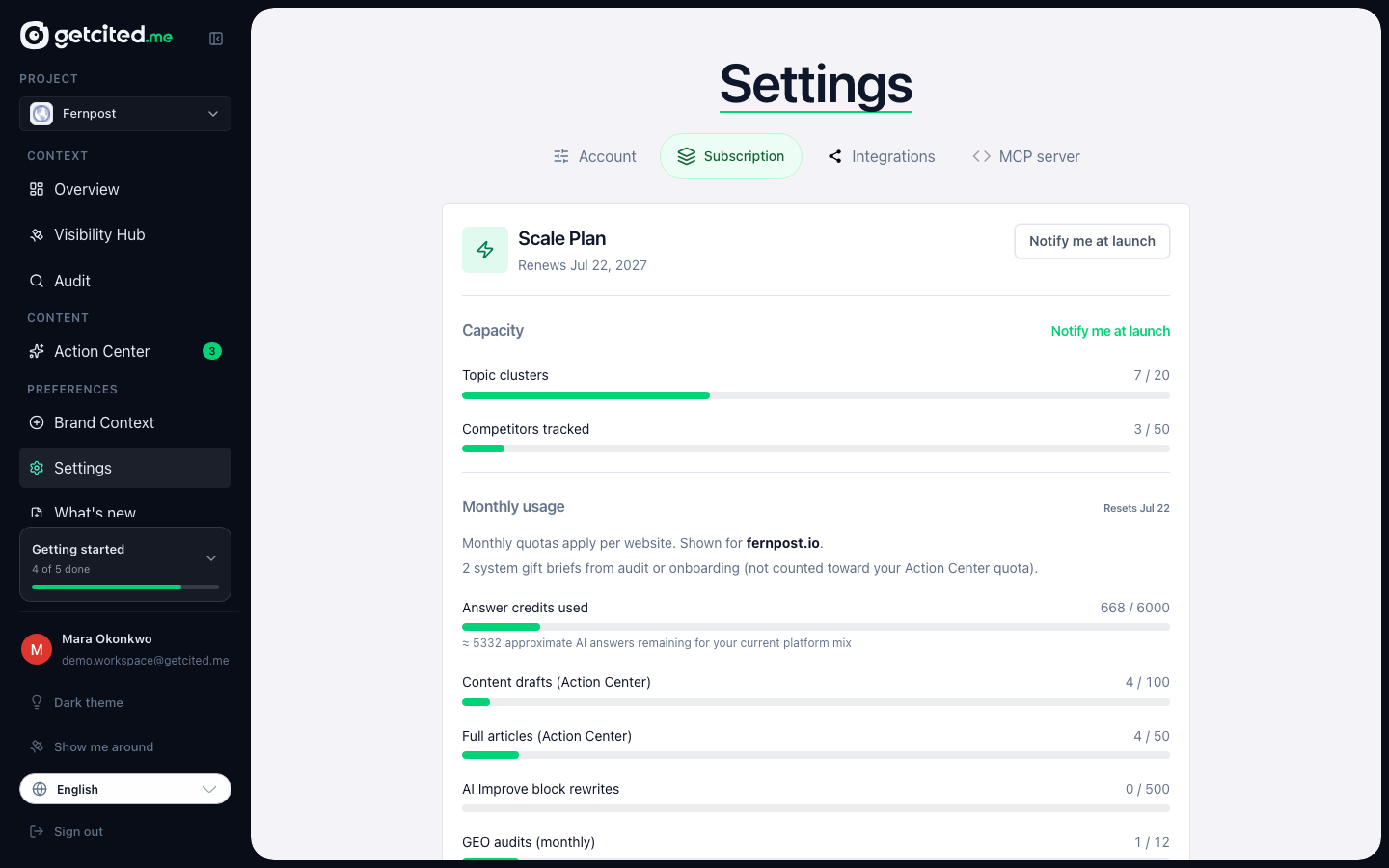
Plan and limits — your current plan, what it includes, what you have consumed this period, and when the monthly counters reset. Answer credits are broken out here, including a warning when the balance is on course to run out before the period ends.
Projects — the sites on your account, and the route to add a locked site to your subscription or release a seat.
Billing — the customer portal: payment methods, invoices, billing details and cancellation.
Integrations
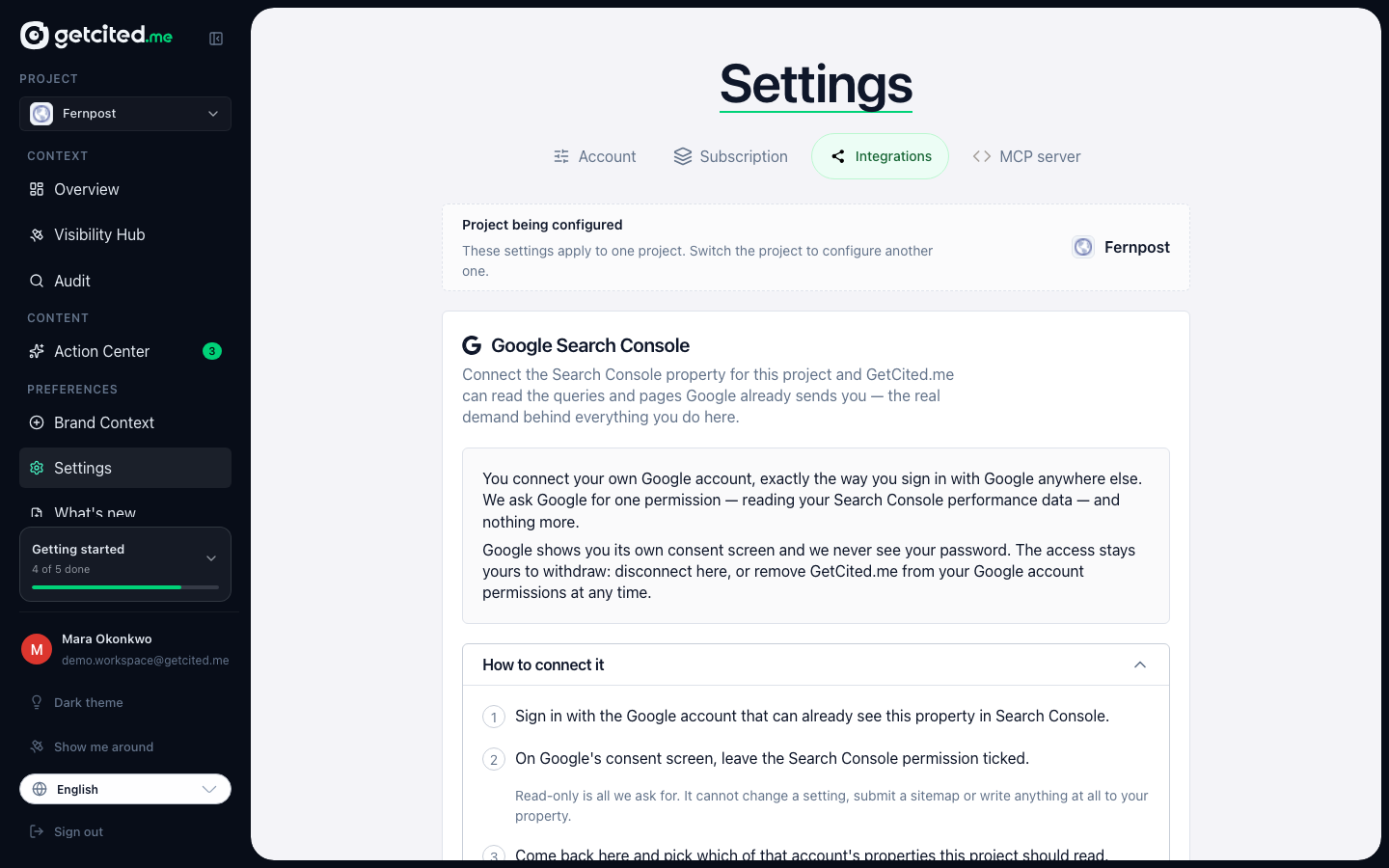
Outside accounts we read on your behalf. Everything here is per project, which is why the tab opens with a project selector rather than assuming one. That selector writes the account's active project — the same value the sidebar owns — so switching here switches everywhere.
Nothing on this tab is required. It only makes the advice you get more accurate.
Google Search Console — connect the Search Console property for this project and GetCited.me can read the queries and pages Google already sends you: the real demand behind everything else in the product. The card walks you through the current connection steps on screen; they are changing shortly, so this article deliberately does not repeat them.
Reddit posting account — paste the public link to the profile you reply from. We read it once a night and estimate how likely your replies are to survive moderation, from account age, comment karma and recent activity. It is an estimate from public signals, not a score Reddit publishes, and it never blocks you from drafting or posting — it just tells you when a reply is likely to be filtered before anyone reads it.
MCP server
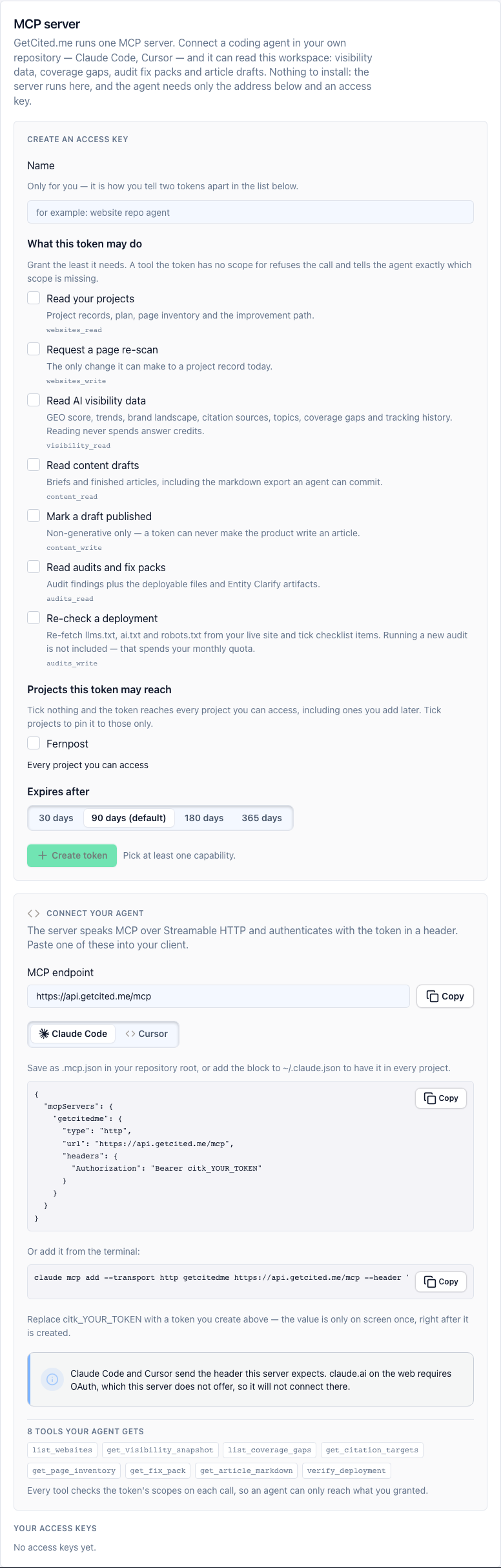
This tab connects a coding agent — Claude Code, Cursor — to your workspace, so it can read visibility data, coverage gaps, audit fix packs and article drafts from inside your own repository. What the server is, the eight tools it exposes, the client config for each editor and the prompts worth saving are documented in full on the MCP server page. This section covers only the half that lives on this tab: the access keys.
What an access key is for. It is what the agent authenticates with. You create it here and it is shown exactly once — only a hash is stored, so it can never be displayed again. If you lose it, revoke it and create another.
Scopes are least-privilege, and the design assumes you will grant too many. Tick only what the agent actually needs. A tool the key has no scope for refuses the call and tells the agent exactly which scope is missing, so an under-granted key produces a clear error rather than silent wrong behaviour. The scopes are also deliberately narrow on the write side: reading never spends answer credits, the content-write scope can only mark a draft published rather than make the product write anything, and the audit-write scope re-checks a deployment rather than running a new audit against your monthly quota.
Which projects a key can reach. Tick nothing and it reaches every project you can access, including ones you add later. Tick specific projects to pin it to those only.
Expiry and revocation. Keys expire on a term you choose. Revoking one stops everything using it immediately; the row stays visible for a while afterwards, because its last-used time is how you find out whether a leaked key was ever actually used.
One limitation worth knowing before you try it: this server authenticates with a header, which Claude Code and Cursor send. claude.ai on the web requires OAuth, which the server does not offer, so it will not connect there — the MCP server page says which clients are verified.
Old links still work
Because Settings shrank from seven tabs to four, links you already have keep resolving. /settings/team, /settings/notifications and /settings/reports redirect to the card that absorbed them, and the older /settings#anchor links sent by product emails land on the right card inside the right tab. Nothing you bookmarked has gone missing.
What to read next
- Getting started: a tour of GetCited.me — the rest of the product, in the order you use it.
- Questions, topics and answer credits — what the limits on the Subscription tab actually meter.